This is the pattern for teams who want branches, pull requests, an audit trail, and an approval step the pipeline enforces so nobody has to remember it. It costs a week or more to stand up, and it pays that back the first time somebody needs to undo something.
Who it fits
- Every environment on Fabric capacity
- More than two people building at once
- A real approval requirement, or an auditor who will ask
- Someone on the team comfortable with Azure DevOps or GitHub Actions and Python
Git and the build step do different jobs
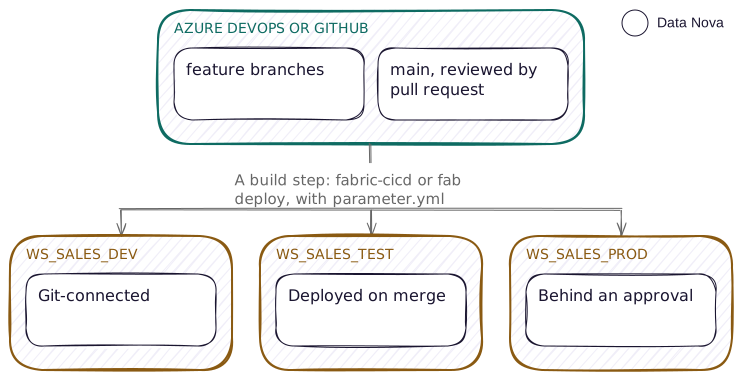
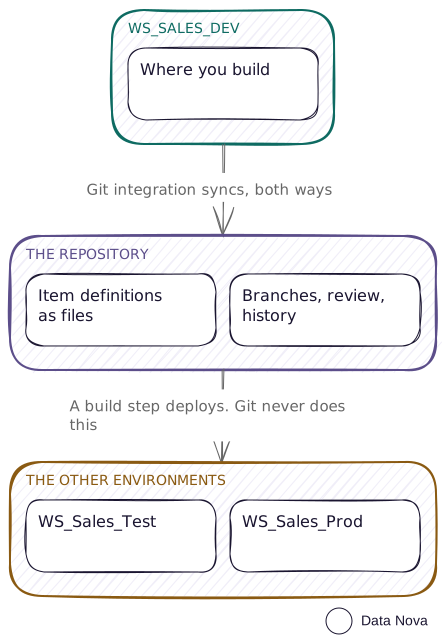
Git integration connects a workspace to a branch and syncs item definitions. The build step deploys from the repository into a workspace. Most deployment trouble starts with expecting git integration to do the build step's job.
The fix is to make the name carry the order: prefix co-dependent items with a number, 1_, 2_, so the sync reaches them in the sequence they need. It is blunt, and it sits outside the pattern in the naming guide, which has no slot for a sequence number. Use it only where a dependency actually bites.
Branching
| Branch | Connected to | Who writes | Deploys to |
|---|---|---|---|
feature/<name> | A per-developer workspace, optional | One developer | Nothing automatically |
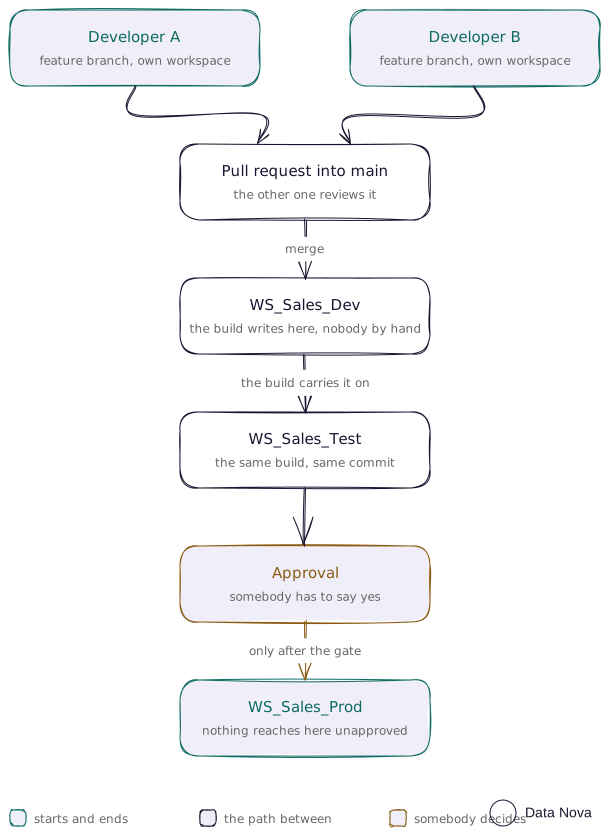
main | WS_Sales_Dev | Nobody directly, pull request only | Dev on merge, then Test |
| A tag or release branch | Nothing | The release manager | Prod, behind an approval gate |
Something always has to differ between environments, so you need a build step either way. That is why a branch per stage looks like the tidy answer and is the one to avoid.
Two developers, working at the same time, which is the reason you are on this pattern at all.
The deploy tool
fabric-cicd(opens in a new tab), published by Microsoft, at v1.3.0 released 10 August 2026, running on Python 3.9 to 3.13. Its documentation lists the item types it supports, and that count is on a documentation page rather than in the package, so I have not confirmed it. It publishes in dependency order and rebinds logical IDs to the target workspace, which is the thing a raw git sync does not do. Since Fabric CLI v1.5 there is a single wrapping command, fab deploy.
Its documented limitations are worth knowing before you design around it:
- Full deployment every time. It does not look at commit diffs, so every run deploys everything in scope.
- It deploys into the tenant of whichever identity runs it. You cannot deploy across tenants.
- Only items that have source control and public create or update APIs are supported.
Per-environment values live in a reviewed file
parameter.yml holds find-and-replace values keyed by environment, and the environment argument you pass must match a key in it. Keep it in the repository next to the items, reviewed like everything else. It does the same job as a deployment rule, but in a file instead of a portal, so you can diff it, review it and see who changed it.
find_replace:
  - find_value: "sql-dev.database.windows.net"
    replace_value:
      DEV:  "sql-dev.database.windows.net"
      TEST: "sql-test.database.windows.net"
      PROD: "sql-prod.database.windows.net"
The build definition is two stages with an approval between them. The approval is attached to the Azure DevOps environment, not to the script, so it cannot be skipped by editing the script.
# Azure DevOps, a sketch. Read it before running: this deploys into a live workspace.
trigger:
  branches: { include: [main] }

stages:
  - stage: DeployTest
    jobs:
      - job: Deploy
        steps:
          - script: pip install fabric-cicd==1.3.0
          - script: python deploy.py --environment TEST

  - stage: DeployProd
    dependsOn: DeployTest
    jobs:
      - deployment: Deploy
        environment: 'fabric-prod'   # the approval gate lives on this environment
        strategy:
          runOnce:
            deploy:
              steps:
                - script: pip install fabric-cicd==1.3.0
                - script: python deploy.py --environment PROD
Identity, and how the two git providers differ
The build agent authenticates with a TokenCredential, which in practice is a service principal. It needs workspace contributor or above on every target workspace, and it needs the tenant setting "Service principals can call Fabric public APIs" enabled.
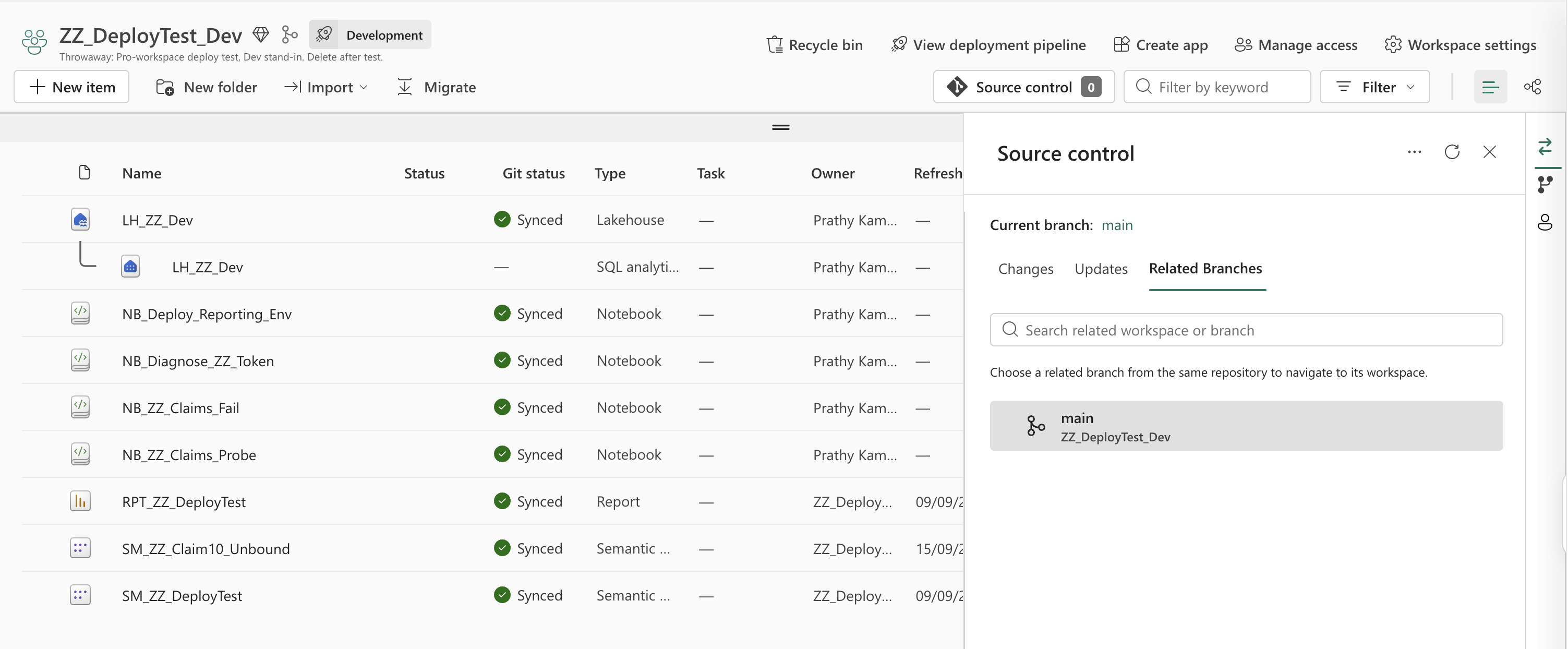
You connect the workspace to the repository in workspace settings, once. The branch has to exist before you point at it, and a workspace holds one connection at a time, so disconnect it before repointing it somewhere else.
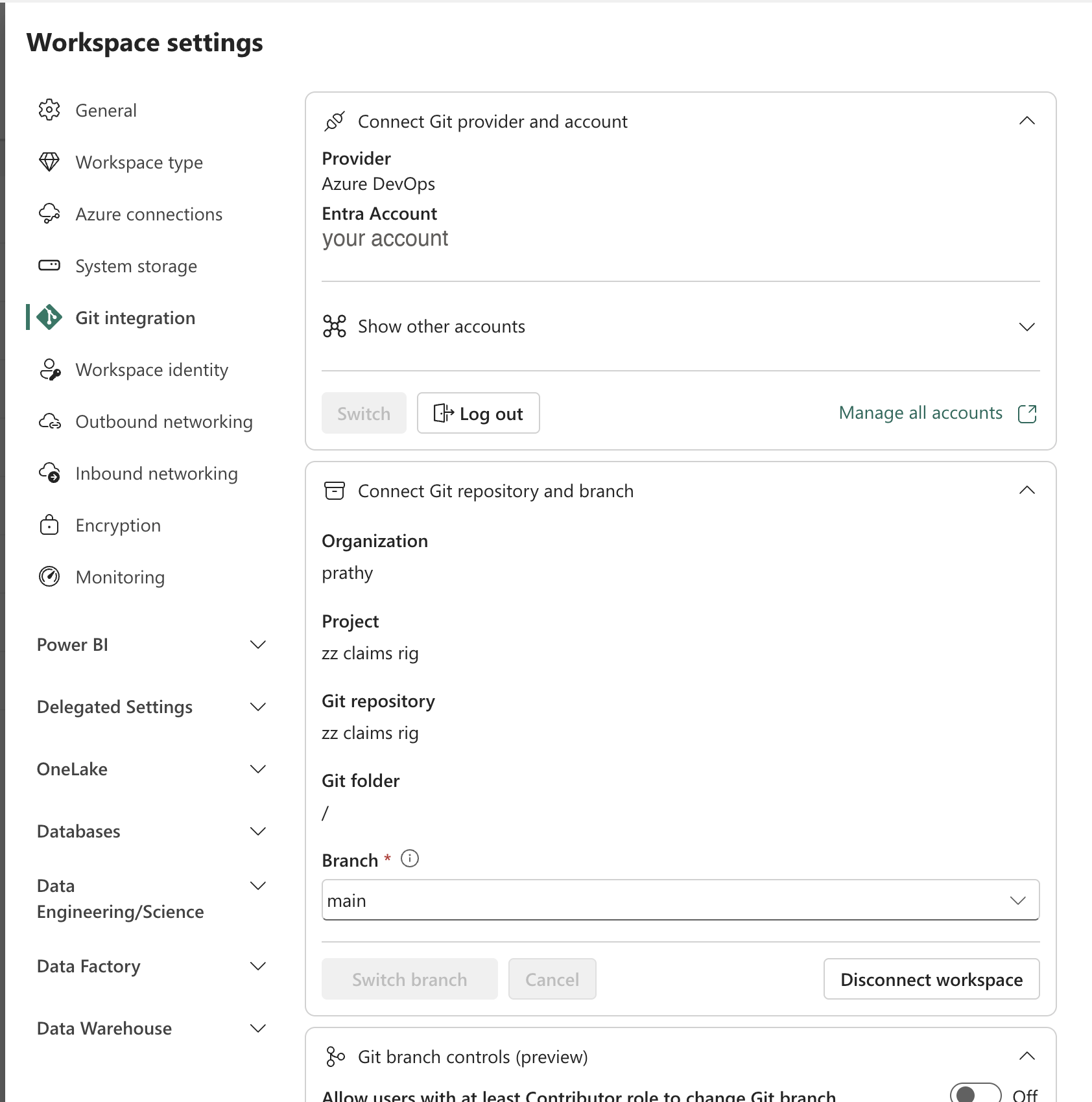
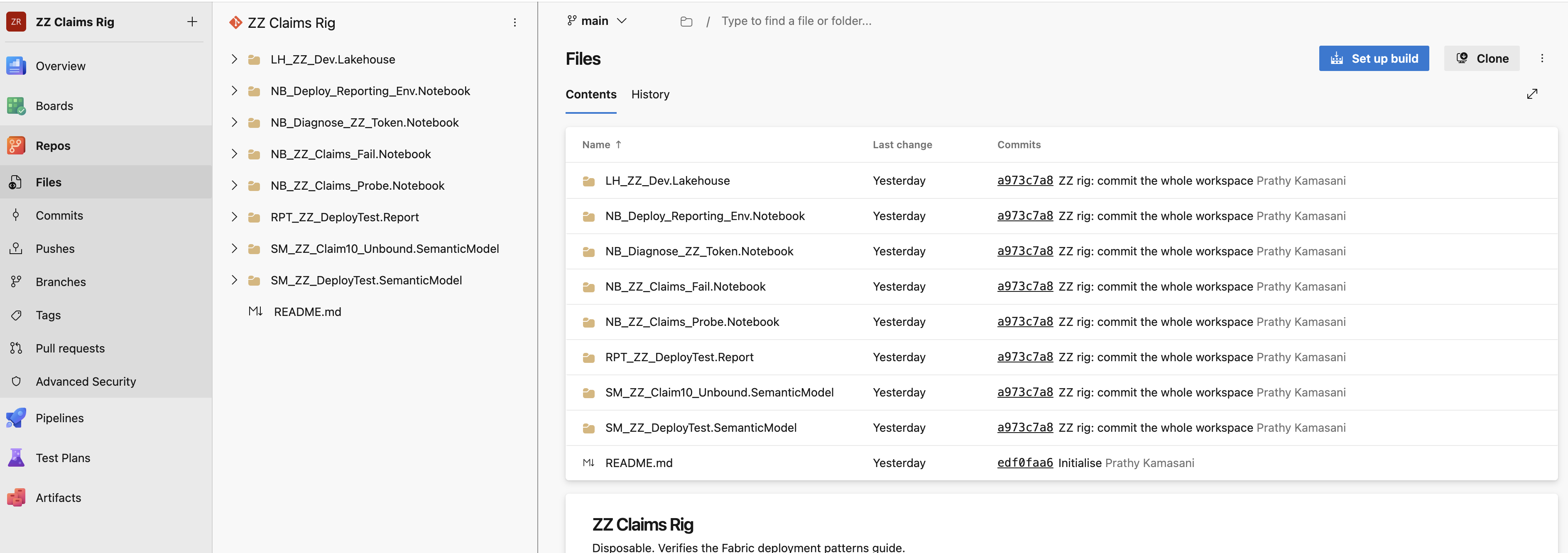
Azure DevOps uses the signed-in identity and needs no token entered in the Fabric interface. GitHub requires a personal access token pasted into Fabric. Commit size limits differ too. Microsoft documents 25 MB through a service principal on Azure DevOps and 125 MB through the default single sign-on Entra ID account, GitHub 50 MB, and a 1,000 item cap on the workspace. Those are their figures: my rig committed 33 files whose largest was empty, so nothing I ran goes anywhere near them.
What it costs
Capacity on every environment, as with deployment pipelines. Plus build minutes, which are negligible. The engineering time to build and maintain it is not.
What breaks
- Nothing carries credentials. Not git, not
fabric-cicd, notfab deploy. Somebody has to bind the connections in each target environment. Decide who, before you find out the hard way. - Full deploys only means a change to one report redeploys everything in scope.
- Reports and semantic models in git integration are still preview, so do not design on the assumption that every item type is equally well supported. Preview describes the support you get, not how well it works. I committed a lakehouse, four notebooks, a PBIR report and two semantic models, and every one of them round-tripped: 33 files across 21 folders. The lakehouse wrote four metadata files and no tables, which is what it looks like on disk when the item travels and the data stays where it is.
- A commit with nothing to commit answers 400. If the workspace and the branch are already in step,
commitToGitreturnsNoChangesToCommit, "There are no changes to commit." A script that treats any 400 as a failure will stop there, on a run where nothing was wrong. - Circular references fail outright: a two-way dependency between two items will stop a deploy.
- The service principal tenant switch is somebody else's decision in a client tenant.
- Connecting fails with a misleading error if the directory does not exist. Point
directoryNameat a folder that is not in the repository yet and the connect call returnsGitProviderResourceNotFound, which reads as a missing repository and sends you checking the organisation and project names instead."/"connects, and Fabric builds the layout underneath it.
When this breaks down
Rarely, once every environment sits on capacity. What comes after is scale work: more repositories, shared component libraries, a workspace per developer provisioned by automation. The pattern stays the same, there is just more of it.
Everything still applies on what is true in every pattern, starting with the credential step that none of these tools does for you.