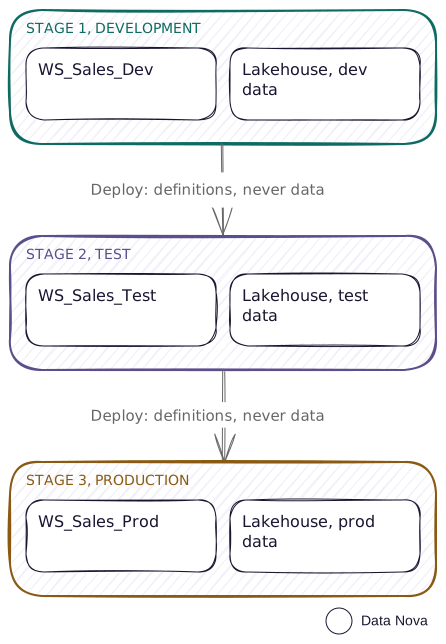
This is Fabric's own answer, and for a team that is not engineering-heavy it is the right one. What it buys you over manual promotion is the rebinding, not the button: items that move through together get their references rewired to the target stage, which is the part that is easy to miss doing by hand.
Who it fits
- Every environment can sit on Fabric capacity
- A team that wants a release process without writing code
- Mixed Power BI and Fabric items
- Nobody yet asking for code review or rollback
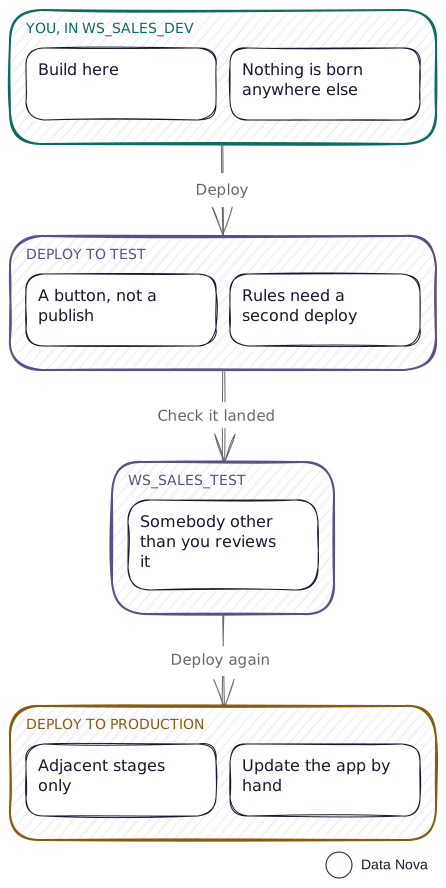
A release, end to end. The rules step only bites the first time, and why it needs two deploys is further down.
Capacity on every stage
This is not negotiable, and it is the single fact that decides whether this pattern is available to you. Microsoft's wording, verbatim: "The workspace must reside on a Fabric capacity." If any of your environments is a Pro workspace, this pattern is off the table for that environment, and you want the mixed estate instead.
Pipeline structure and permissions
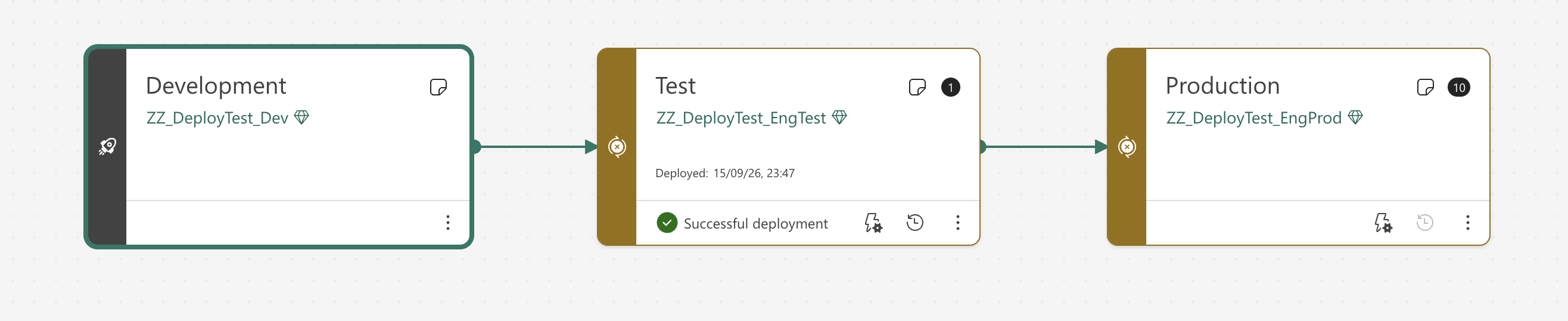
Between 2 and 10 stages, three by default. The number of stages is permanent once created, so decide before you create it. The stage names are not: I renamed one with a PATCH and it returned 200. Only the count is fixed. Two stages, Dev and Prod, is a perfectly reasonable starting shape and it is far better than none.
| To do this | You need |
|---|---|
| Create a pipeline | A Pro, PPU or Premium licence |
| Assign a workspace to a stage | Pipeline admin and workspace admin on that workspace |
| Deploy between stages | Pipeline admin and contributor or above on both source and target |
| Create a deployment rule | Pipeline admin, contributor or above on the target workspace, and ownership of the item |
What actually moves
Definitions, not data. After a first deploy into a new stage you have a fully formed solution that cannot refresh, has no schedule, and has nobody assigned to its security roles. That is what a deployment does, so plan the work that follows it.
| Does travel | Does not travel |
|---|---|
| Item definitions | Data |
| Report visuals and pages | Data source credentials |
| Dashboard tiles | URLs and item IDs |
| Model metadata | Refresh schedules |
| Parameters and data sources, where a rule applies | Row-level security role assignments |
| Item relationships | Permissions, on the workspace or the item |
| Folder hierarchy | Workspace settings |
| Sensitivity labels, conditionally | App content and settings |
| Query caching, endorsement and personal bookmarks |
The case this matters most in is one model with several reports on it. Most Power BI estates are built that way, and a live connection carries the name of the workspace and the model it points at, written inside the report. I put two reports on one model and deployed all three into Test. Both reports came out bound to Test’s model, and the connection string inside the report’s own definition had been rewritten to name the Test workspace. I then deployed one report on its own, with the model already in Test and not part of the deployment, and it still landed on Test’s model. So the rebinding is per report, and it does not depend on the model moving with it.
That is worth putting next to what the same situation costs you by hand. On three Pro workspaces each report has to be repointed once per environment, and nothing warns you when one is missed. On the mixed estate the deploy script rewrites that connection string itself, once per report. Here it is the thing you are paying the capacity for.
Autobinding has two big exceptions. Items deployed together get rebound to their dependency in the target stage, and the deployment fails if that dependency is not there, which is what "Select related" avoids. I deployed a report on its own into a stage its model had never reached, and got Alm_InvalidRequest_MissingTargetReferencedDataset, naming the report as the related resource.
The second exception is quieter: a parameterised connection suppresses autobinding entirely. Where a parameter controls the connection, Fabric leaves the binding alone and expects you to change the parameter value or rule the parameter. Parameter rules must be of type Text.
Rules, and why the first deploy ignores them
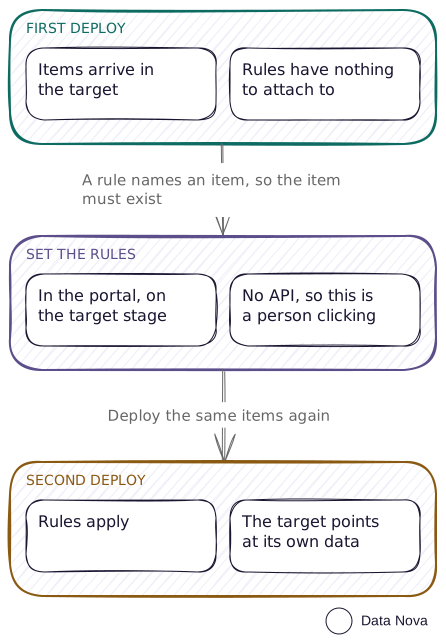
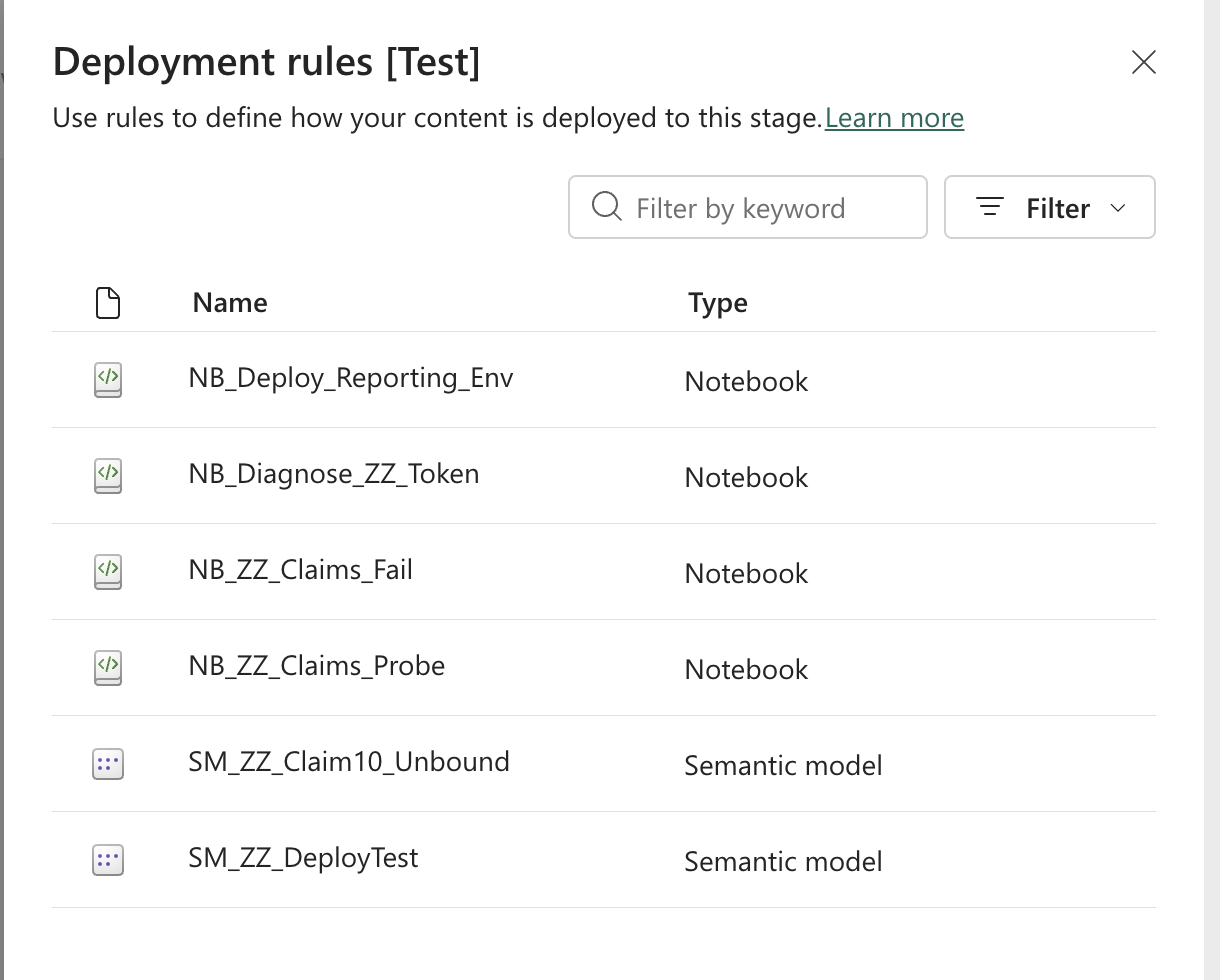
Rules live in the target stage, attached to the item there, so the item has to exist before you can put a rule on it. Your first deployment always lands carrying the source stage's values. The sequence is: deploy once, set rules, deploy again, refresh.
Prefer parameter rules over data source rules. Data source rules only swap between sources of the same type, only for a listed set of connectors, and cannot be created on a source that is already parameterised. Microsoft's own guidance for an unsupported source is to parameterise the connection and rule the parameter, so make the parameter the single lever everywhere and you have one mechanism instead of two.
A Variable Library is the modern replacement. It is a first-class Fabric item holding per-stage values, deployable through the pipeline like anything else. Where a deployment rule is per-item, personal to the owner and lost on workspace reassignment, a Variable Library is a workspace item with its own lifecycle. If you are building this pattern now, reach for one first and treat deployment rules as the fallback for what it does not cover.
The pipeline pairs items by name and type. Items that look identical but were created independently in two stages are not paired, and deploying creates a duplicate instead of overwriting. An item created straight into the target this way never pairs, and no amount of redeploying fixes it: you have to delete it and let the pipeline create it. So nothing is ever born outside Dev: every item is created in development and arrives everywhere else by deployment.
You can see the difference in what the service itself records. My Test workspace holds two lakehouses. One arrived by deployment and carries a sourceItemId pointing back at the Dev item it came from. The other was created straight into Test and carries nothing, because there is nothing for it to point at.
This is also why item names must not carry the environment.LH_ZZ_Test could never pair with LH_ZZ_Dev whatever you did to it, because the pipeline matches on name and type. Deploy Dev forward now and Production ends up with a second lakehouse beside the one already there.
What it costs
Fabric capacity on three workspaces, which in practice means one capacity with three workspaces assigned to it, not three capacities. Below F64 every Power BI viewer still needs a Pro licence; at F64 and above, viewers need only a free licence and the viewer role. That threshold is where the financial argument usually starts, and it is rarely the whole of it. An organisation already on Microsoft 365 E5 has Pro for everyone anyway, and plenty of teams move onto capacity because they need something it does, not because of the licence maths.
What I tried, and what happened
I ran these in a disposable rig in my own tenant: two workspaces, one lakehouse holding a table with a known row count, one import semantic model reading from a single shared expression, and one report bound to that model. Each environment got a different row count, so a wrong binding shows up in the numbers and not only in a GUID.
- PBIR reports deployed, though the docs say they will not. Microsoft’s deployment process page(opens in a new tab) says PBIR reports are not supported. I tried it anyway. The report deployed cleanly, landed in the target stage, and came through paired to its source. I would still write the documented answer into a contract, but do not rule this pattern out over that line. Test your own reports.
- Backward deployment is not a rollback. It only runs into an empty stage, and only when you deploy every item, not a selection. I pointed it at a stage that already held the items and got
Alm_InvalidRequest_TargetArtifactExistsForBackfill. - Development straight to Production is refused. A deployment only runs between adjacent stages. The message is "sourceStageId and targetStageId must belong to subsequent stages", which reads like a problem with your items when it is really about the hop you asked for.
- Deployment rules have no API. The endpoint answers
404 EntityNotFound, so a rule cannot be read or written programmatically. Every one is a portal action: open the target stage's Deployment rules pane, pick the item from the list, and set the rule against it. That matters if you were hoping to keep your pipeline configuration in source control, because none of it is in there. Where you can, use a Variable Library with a value set per stage instead. That is a deployable item in its own right, so it travels with the deployment and lives in git. Keep rules for the cases a value set cannot reach, mainly rebinding a semantic model's data source, and write down every rule you set, because nothing else records them.
What the pipeline will not do for you
- No history, no rollback, no code review. The pipeline shows a deployment history with timestamps, not a diff of what changed, and there is no way back to last month.
- Apps are not updated. Every promotion to production needs a manual app update.
- Gateways are not mapped on the first deployment. Map once, by hand. Later deployments leave it alone.
- 300 items maximum per deployment. Microsoft's documented limit, which I have not tested, because testing it needs 300 items.
- Power BI item types in pipelines are still preview, as is the new pipeline interface.
Two dates to keep an eye on
- 12 February 2026, already passed. Semantic models not upgraded to Enhanced Metadata are no longer supported, so this one bites an old model today.
- 1 December 2026, still ahead. In a workspace holding items under a protection-policy sensitivity label, a user will need read-write on all workspace items to deploy. Worth checking now if you use protection policies.
When this breaks down
- Somebody asks what changed between two releases and you cannot answer.
- Two developers need to work on the same solution without overwriting each other.
- You want an approval gate the tooling enforces, that nobody can skip.
- You have moved to PBIR reports and find the pipeline will not carry yours. Mine deployed without complaint, so check before you assume yours will not.
- A bad deploy reached production and there was no way back.
All five point the same way: git and build-driven deployment, where the repository is the source of truth and the pipeline is a build step.